Posts Tagged :

user experience

Why Internal Linking Still Matters for Users and Search Engines 729 482 ignacio@mcval.net

Why Internal Linking Still Matters for Users and Search Engines

Internal linking isn’t just an old SEO trick—it’s a powerful way to guide both your visitors and search engines through your site. When done right, internal links boost your site architecture, improve user experience, and help spread link equity to your most important pages. Keep reading to see how a strategic internal linking approach can raise your page authority and make every click count for your business. For more detailed information, check out this resource on internal linking strategy.

Benefits of Internal Linking

Internal linking plays a crucial role in guiding both users and search engines throughout your website. Understanding its benefits helps you optimize your site’s performance.

Improve User Experience

Internal links significantly improve user experience by helping visitors find relevant information quickly. When users can navigate your site with ease, they spend more time exploring your content. This not only keeps them engaged but also increases the likelihood of conversions. By creating logical pathways through your website, you make it simple for users to discover new content they might not have initially sought.

Enhance Site Architecture

Good internal linking enhances your site’s architecture by organizing content in a way that makes sense for both users and search engines. A well-structured site helps search engines understand the hierarchy and relationship between pages. This boosts your site’s visibility in search results. When you strategically link pages, you ensure that your most important content gets the attention it deserves.

Boost Page and Link Equity

Internal links distribute link equity across your site, enhancing page authority and search ranking. When you link to important pages, you pass on value, making them more authoritative in the eyes of search engines. This practice is essential for SEO success. By prioritizing high-value pages in your internal linking strategy, you ensure they receive the link juice needed to rank well.

Strategic Internal Linking Techniques
Understanding strategic techniques for internal linking can help you create a more effective and organized website structure.

Building Content Hubs and Pillar Pages

Content hubs and pillar pages are powerful tools for organizing content. They act as central points, linking to related articles and resources. This structure not only improves navigation but also strengthens topical authority. By creating these hubs, you guide users through comprehensive content on a specific topic, ensuring they find all the information they need in one place.

Navigating with Breadcrumbs and Faceted Navigation

Breadcrumbs and faceted navigation enhance usability by showing users their location on your site and offering easy access to other sections. Breadcrumbs are especially useful for websites with complex hierarchies, helping users trace their path back to previous pages. Faceted navigation, on the other hand, allows users to filter and sort content, providing a personalized browsing experience.

Managing Orphan Pages and Crawl Budget

Orphan pages, those without internal links, can hinder your site’s crawlability and indexation. By incorporating these pages into your internal linking strategy, you ensure they are discoverable by search engines. This optimization is essential for maintaining an efficient crawl budget, allowing search engines to focus on your most valuable content.

Technical SEO and Audit Importance
Technical SEO and regular audits are vital for ensuring your website remains optimized and competitive in search engine rankings.

Analyzing Crawlability and Indexation

Regularly analyzing your site’s crawlability and indexation helps identify areas for improvement. Ensuring that search engines can efficiently crawl and index your pages is crucial for visibility. By addressing any issues, you maintain a strong online presence.

Monitoring Core Web Vitals and Page Speed

Core Web Vitals and page speed significantly impact user experience and rankings. Regular monitoring helps ensure your site meets performance standards. Fast-loading pages keep users satisfied and reduce bounce rates, contributing to better SEO outcomes.

Conducting an SEO Audit with SolidifyWeb

Conducting a comprehensive SEO audit can identify opportunities for improvement. Partner with SolidifyWeb to ensure your site remains optimized and competitive. Our expertise in technical SEO and web development can help elevate your online presence.

Frequently Asked Questions

What is internal linking, and why is it important?

Internal linking involves linking one page of a website to another within the same domain. It’s important because it helps users navigate the site, distributes link equity, and improves SEO.

How does internal linking improve site architecture?

Internal linking organizes content logically, helping search engines understand page relationships. This boosts visibility and ensures important content is easily accessible.

What are content hubs and pillar pages?

Content hubs and pillar pages serve as central points that link to related content. They improve navigation, strengthen topical authority, and provide comprehensive information on specific topics.

Why are breadcrumbs and faceted navigation useful?

Breadcrumbs show users their location on a site, improving navigation, while faceted navigation allows users to filter content, creating a personalized browsing experience.

How can SolidifyWeb help with an SEO audit?

SolidifyWeb offers comprehensive SEO audits to identify areas for improvement. Our expertise ensures your site remains competitive and optimized for search engines.

Let’s take care of your website today

Internal Linking Still Wins: Build a Smarter Site for Users and Search Engines 1024 590 ignacio@mcval.net

Internal Linking Still Wins: Build a Smarter Site for Users and Search Engines

Internal linking remains one of the most powerful tools to boost your site’s crawlability and user experience. When done right, internal links guide visitors smoothly across your content while spreading link equity where it counts. In this post, you’ll learn why a solid site architecture matters for both search engines and your users—and how SolidifyWeb’s strategies can turn internal linking into your strongest asset. For more insights on internal linking, check out this resource: [https://yoast.com/internal-linking-for-seo-why-and-how/].

Importance of Internal Linking

Internal linking is the linchpin of a well-structured site. It directs users to key content and helps search engines understand your site’s hierarchy. Let’s explore its benefits.

Enhancing User Experience

Internal links play a crucial role in improving user experience. They help visitors find relevant information quickly, reducing frustration. A well-planned internal linking structure encourages users to spend more time on your site, increasing dwell time. Imagine a visitor who lands on your blog about “digital marketing tips.” With strategic links, they can effortlessly navigate to related topics like “SEO best practices” or “social media strategies.”

  • Benefit: Smooth navigation keeps users engaged.

  • Tip: Use descriptive anchor text to guide users.

Boosting SEO Performance

Internal links are pivotal for SEO. They help search engines index your site efficiently, boosting crawlability. When search engines navigate your site with ease, they can rank your content better. Implementing a strong linking strategy can distribute link equity across pages, enhancing their visibility. SolidifyWeb excels in optimizing internal links to improve your site’s SEO performance.

  • Benefit: Improved search engine rankings.

  • Tip: Regularly update and audit your internal links for maximum impact.

Building Topical Authority

Building topical authority is essential for establishing your site as an industry leader. Internal links connect related content, helping search engines recognize your expertise. This strategy also aids users in discovering a wealth of information on your site. For example, a pillar page on “content marketing” can link to in-depth articles on “content creation” and “content promotion.”

  • Benefit: Increased trust and credibility.

  • Tip: Create comprehensive content hubs to strengthen topical authority.

Effective Internal Linking Strategies

Harnessing effective internal linking strategies can transform your website’s performance. Let’s dive into some actionable techniques.

Creating Content Hubs and Pillar Pages

Content hubs and pillar pages are central to an effective internal linking strategy. These pages act as comprehensive resources on a particular topic, linking to related content. For instance, a content hub on “web development” can include links to articles on “frontend development” and “backend development.” This setup not only organizes your content but also guides users through a logical journey.

  1. Identify Core Topics: Determine key subjects that align with your business goals.

  2. Develop Pillar Content: Create in-depth content that covers these topics comprehensively.

  3. Link Related Content: Connect smaller, related articles to your pillar pages.

Optimizing Anchor Text

Optimizing anchor text is a vital component of internal linking. The words you choose for your links should be descriptive and relevant. This helps users and search engines understand the linked content. For example, instead of using “click here,” use “learn more about SEO tactics” to provide context.

  • Benefit: Clearer understanding of linked content.

  • Tip: Vary your anchor text to avoid keyword stuffing.

Designing Breadcrumb Navigation

Breadcrumb navigation is a user-friendly feature that enhances navigation. It provides a clear path of where users are within your site, helping them backtrack if needed. This feature is particularly helpful for complex sites with multiple layers of content.

  • Benefit: Improved user satisfaction and reduced bounce rates.

  • Tip: Ensure breadcrumbs are consistently placed across your site.

Implementing and Measuring Success

Once you have solid internal linking strategies, it’s crucial to implement and measure their success. Here’s how.

Conducting Internal Link Audits

Regular internal link audits are essential for maintaining link relevance and effectiveness. During these audits, check for broken links and update outdated content. SolidifyWeb can assist with comprehensive link audits to ensure maximum SEO benefits.

  1. Identify Broken Links: Use tools to find and fix broken links.

  2. Evaluate Link Relevance: Ensure all links are relevant to current content.

  3. Update Regularly: Keep content and links fresh with regular updates.

Improving Crawlability and Indexation

Improving crawlability and indexation is a key goal of internal linking. A well-structured link strategy ensures search engines can index your entire site effectively. This boosts your site’s visibility and search rankings.

  • Benefit: Enhanced site visibility.

  • Tip: Use a sitemap to assist search engines in navigating your content.

Leveraging Ogden SEO Services with SolidifyWeb

SolidifyWeb offers specialized SEO services in Ogden, Utah, tailored to enhance your internal linking strategies. With a focus on quality and innovation, they help businesses improve crawlability and boost SEO performance. Partnering with SolidifyWeb ensures your site’s architecture supports long-term growth.

  • Benefit: Expert-led SEO improvements.

  • Tip: Regularly consult with SEO experts to stay ahead of trends.

By following these guidelines and leveraging SolidifyWeb’s expertise, you can maximize the potential of internal linking to enhance user experience and SEO performance. Embrace these strategies to build a smarter, more effective website that serves both your users and search engines.

Let’s take care of your website today
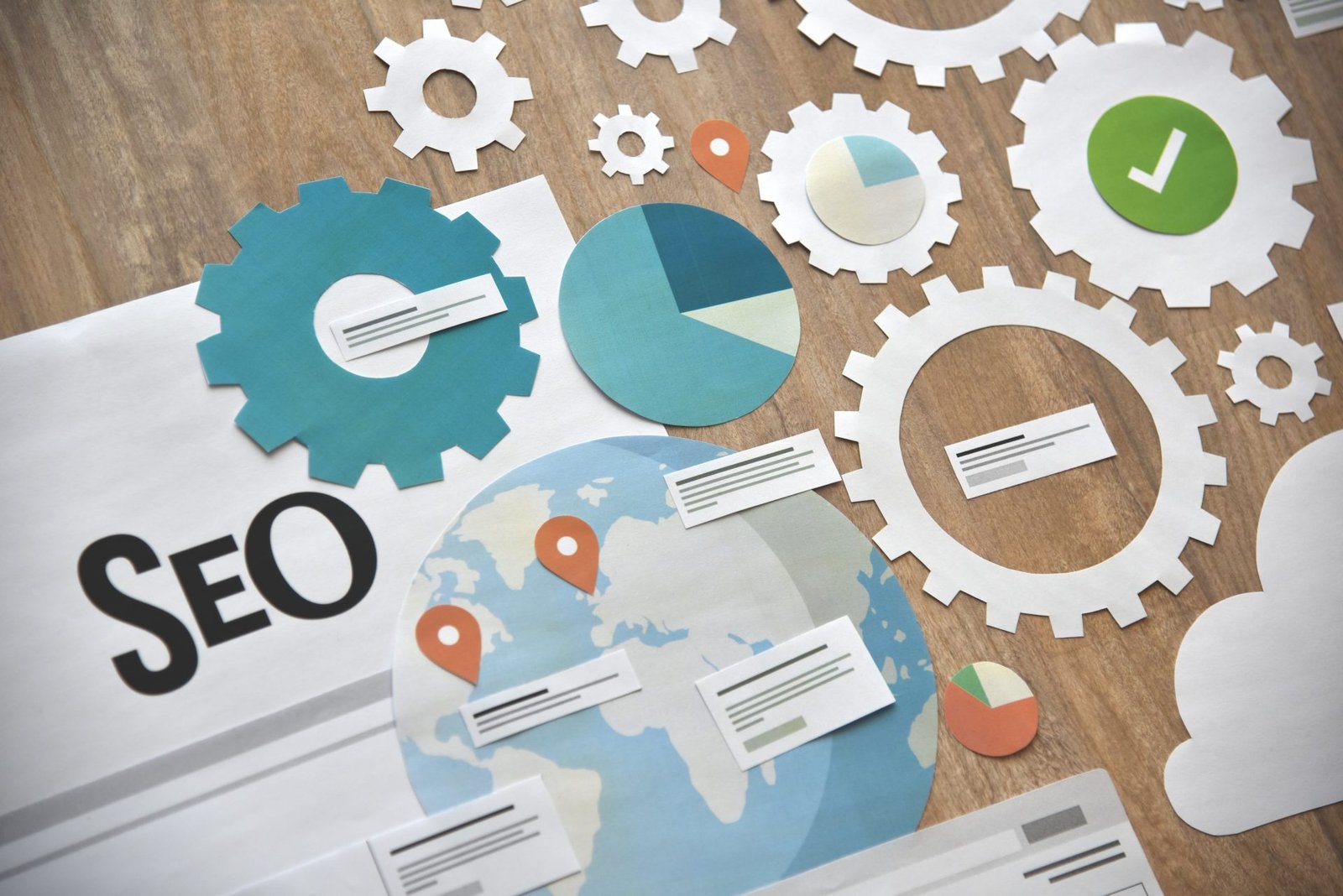
Why Internal Linking Still Matters for User Experience and Rankings 730 477 ignacio@mcval.net

Why Internal Linking Still Matters for User Experience and Rankings

Internal linking often gets overlooked, but it’s still a powerhouse for improving your site architecture and boosting user experience. When done right, it guides visitors smoothly through your content while helping search engines crawl and index pages more effectively. In this post, you’ll see how strategic internal linking impacts rankings and why Ogden businesses trust SolidifyWeb to audit and optimize their websites for real growth. For more insights on internal linking, you can check out this article on internal linking for SEO.

The Role of Internal Linking in UX

Internal linking is not just a technical detail; it plays a vital role in how users interact with your site. Let’s explore the impact on user navigation, content discoverability, and site architecture.

Enhancing User Navigation

Imagine walking through a library with no signs. You’d feel lost, right? That’s how users feel on a site without proper links. Internal links act like signposts, guiding visitors to where they want to go. They make it easier to find related content, keeping users engaged longer. When users can quickly find what they need, they tend to stay on your site. This is crucial for reducing bounce rates and improving overall satisfaction. A well-structured site helps users navigate without frustration.

Improving Content Discoverability

Internal links don’t just help users; they help your content get noticed. They act as a bridge, connecting new posts to older ones and ensuring nothing gets buried. This means more of your content gets read, increasing its value. When users discover more content, they gain a deeper understanding of your offerings. This is how you build authority in your field. Every click on an internal link can lead to a new discovery, enhancing the user’s journey.

Strengthening Site Architecture

A strong internal linking strategy contributes to a sturdy site architecture. Think of it as the backbone of your website. Links connect pages in a logical order, making it easier for search engines to crawl your site. Good architecture ensures that important pages get the attention they deserve. This enhances your site’s credibility and can lead to better rankings. By organizing content well, you help both users and search engines understand your site’s purpose.

Internal Linking and SEO Rankings

Internal links don’t just improve user experience; they boost your site’s SEO performance. Let’s dive into how they influence PageRank, optimize crawl budget, and utilize anchor text.

Boosting PageRank and Link Equity

Internal links distribute PageRank across your site, enhancing the authority of each page. By linking to important pages, you pass on link equity, signaling search engines about their significance. This can lead to higher rankings. Effective internal linking means choosing which pages to boost strategically. It’s not just about volume; it’s about where those links lead. A balanced approach ensures the most important pages get the authority they need.

Optimizing Crawl Budget and Indexation

Search engines have a limited crawl budget for your site, so make it count. Internal links help direct crawlers to the right places, ensuring essential pages are indexed. This is crucial for large sites with lots of content. By optimizing your crawl path, you make sure search engines don’t miss key pages. This improves your site’s indexation and ensures that all valuable content is accessible. It’s like giving a tour guide a map; they can’t explore everything, but they can see the highlights.

Utilizing Anchor Text Strategy

Anchor text is the clickable text in a hyperlink. Using descriptive anchor text helps search engines understand what the linked page is about. This improves relevance and can influence rankings. Choose anchor texts that clearly reflect the content of the linked page. It’s not just about keywords; it’s about context. A smart anchor text strategy can make your internal linking more effective, enhancing both SEO and user experience.

Partnering with SolidifyWeb for Success

SolidifyWeb stands out as a leader in enhancing internal linking for better results. We offer specialized services to improve your site’s architecture and rankings.

Comprehensive Internal Linking Audits

Our audits examine every link on your site, identifying strengths and areas for improvement. We ensure your internal linking strategy is robust and effective. By analyzing your current setup, we can pinpoint which links are serving you well and which aren’t. This comprehensive approach helps us create a plan tailored to your needs. It’s not just about fixing problems; it’s about unlocking opportunities for growth.

Tailored SEO Strategies and Solutions

We provide solutions that fit your unique business goals. From link audits to customized SEO plans, we help you achieve the rankings you desire. Our strategies are not one-size-fits-all; they are tailored to your specific industry and needs. With our expertise, you can focus on growing your business while we handle the technical details. This partnership means you get the best of both worlds: expert guidance and personal attention.

Exclusive Offers for Ogden Businesses

SolidifyWeb is proud to support local businesses in Ogden with exclusive offers. We understand the unique challenges you face and are here to help you excel. By choosing us, you’re not just getting a service; you’re gaining a partner dedicated to your success. Our local focus means we understand the market and can offer insights that drive growth. Don’t miss out on opportunities to elevate your online presence.

In conclusion, internal linking is a crucial part of both user experience and SEO. As a business in Ogden, partnering with SolidifyWeb can help you unlock the full potential of your online presence. Our tailored strategies and local expertise ensure that you not only meet but exceed your digital goals.

Let’s take care of your website today
Graphic showing before and after a redesigned website with the Solidify Web logo
Redesigning Your Website: Expense or Smart Investment? 819 1024 ignacio@mcval.net

Redesigning Your Website: Expense or Smart Investment?

Smart Website Redesign: A Key Investment for Online Growth

When Your Website Stops Representing Your Business

The digital world moves fast, and what worked yesterday may be obsolete today. An outdated design, poor user experience, or simply a website that doesn’t convert could be holding back your growth. Redesigning your website is not just a visual whim—it’s a strategic decision that can transform your online presence.

2025 and its web design trends


Signs You Need to Redesign Your Website

Signs You Need a Website Redesign

  1. Your site looks outdated

    Old-fashioned or unprofessional designs create distrust.

  2. It’s not responsive (doesn’t adapt to mobile)

    70% of web traffic comes from mobile. If your site isn’t mobile-friendly, you’re losing clients.

  3. It doesn’t show up on Google

    Without an SEO foundation, your site is invisible.

  4. It no longer reflects your current brand

    If you’ve changed your focus, services, or branding, your site should reflect that too.

  5. It doesn’t generate clients

    A website that doesn’t convert is the clearest sign you need a redesign.


The Common Mistake: Thinking of a Redesign as Just an Aesthetic Expense

Many see a website redesign as just an image or aesthetic expense. But it’s much more than that. An optimized website improves conversions, Google rankings, digital authority, and user experience. It’s a sales tool that works for you 24/7.

If you don’t see it as an investment, you risk continuing to spend on ads that drive traffic to a site that doesn’t convert.


Strategic Benefits of Redesigning Your Website

  1. Increased conversions

    A user-focused design with clear calls to action improves lead generation.

  2. Better Google rankings

    By implementing SEO structure, proper tags, speed optimization, and quality content.

  3. Enhanced professional image

    A modern design builds trust and helps you stand out.

  4. More control over your content

    New platforms let you edit your site without depending on third parties.

  5. Ready for future strategies

    Lead automation, CRM integration, and chatbots.

Your Best 24/7 Digital Salesperson


How to Know If You’re Ready to Redesign Your Website

  1. You feel it doesn’t reflect your current level of professionalism

  2. You struggle to explain what you do using your website

  3. You’re investing in marketing but seeing no results from your site

  4. You’re embarrassed to share your website link

  5. Your competitors outperform you online

Visual Signs of an Outdated WebsiteIf you said yes to two or more, it’s time to take action.


Learn how you can redesign your website


Steps to Redesign Your Website with SolidifyWeb

  • Free diagnosis

  • Personalized proposal based on real goals

  • SEO structure and professional design

  • Integration with tools and continuous support

  • Delivery with training and guidance


Don’t Delay Your Brand’s Digital Growth

Sticking with a website that doesn’t convert is like running a store with no windows or salespeople. If you know your page needs a makeover, don’t wait until you “have time.” Now is the best moment to start generating real results from your online presence.

🔥 Request a free review with SolidifyWeb and discover how to turn your website into a conversion machine.

We share tips, trends, success stories, and recommendations to help your digital presence grow every day.

🔹 Facebook
🔹 Instagram
🔹 LinkedIn

An empty room with a desk, a computer, a cell phone, and a clock. A lamp sits on the desk. The entire image is a tech blue. The image has text that says "Website Sabotaging Your Business: Signs & Solutions," with the logo of Solidify Web, a web and app design company.
How to Know If Your Website Is Sabotaging Your Business 819 1024 ignacio@mcval.net

How to Know If Your Website Is Sabotaging Your Business

How to Know If Your Website Is Sabotaging Your Business

An empty room with a desk, a computer, a cell phone, and a clock. A lamp sits on the desk. The entire image is a tech blue. The image has text that says "Website Sabotaging Your Business: Signs & Solutions," with the logo of Solidify Web, a web and app design company.

The Silent Enemy of Your Digital Business

Many business owners and directors feel something isn’t working. They invest in social media, run Google Ads campaigns, yet still don’t get calls or emails from potential clients. The root of the problem is often a website that doesn’t convert. Even if it seems functional or looks “pretty,” it might be driving potential clients away.


Signs Your Website Is Sabotaging Your Business

  1. High Traffic, Low Results
    You’re getting visits, but no forms submitted or inquiries. This is a clear sign of a website that doesn’t convert.

  2. High Bounce Rate

    Users land on your site and quickly leave because they don’t find what they need or the site is confusing.

  3. Doesn’t Reflect Your Professionalism

    Your business may be excellent, but if the site looks outdated or untrustworthy, it sends the wrong message.

  4. Lack of Clear Calls to Action
    A website that doesn’t convert often fails to guide the visitor to take clear actions.

  5. Not Mobile-Friendly

    In a world where over 70% of users browse on their phones, this is critical.

  6. Not Showing Up on Google

    If people can’t find you, they won’t hire you. It’s that simple.


Person in front of a computer showing growth charts and statistics on screen.

Why Your Website Might Be Hurting Your Sales

Your website is your digital business card. If it’s not built with a conversion strategy, it’s like having a beautiful store with no doors or staff.
It can also harm your brand. If it looks outdated, it creates distrust. If it lacks valuable content, it erases your presence from the digital map. These are traits of a website that doesn’t convert, and they’re sabotaging your growth.


Silent Consequences of an Inefficient Website

  • You lose clients who were actually interested.

  • You pay for ads that send users into a broken experience.

  • Your digital reputation weakens.

  • Competitors seem more trustworthy than you.

Many times, you don’t even realize it. It’s a slow leak that eventually means dozens or hundreds of missed opportunities — all because of a website that doesn’t convert.


Characteristics of a Website That Doesn’t Convert

  1. Company-Focused Text Instead of Customer-Focused

    You talk a lot about yourself but not about what the customer wants or needs.

  2. Lack of Strategic Structure

    There’s no clear path or action steps for the visitor to follow.

  3. Outdated Design

    If it looks like it’s from 10 years ago, users will lose trust immediately.

  4. Slow Loading and Technical Issues

    A slow website is a client-losing website.

  5. No SEO or Structure to Rank

    If Google can’t find it, neither will your target audience.


How to Turn a Website That Doesn’t Convert Into a Profitable Digital Asset

  • Conversion Audit

              Analyze weak points affecting your site’s performance.

  • Customer-Centered Redesign

              Clear messaging, visual hierarchy, visible CTAs, smooth user experience.

  • Optimize for SEO and Speed

            Tech and content must work together to attract and convert.

  • Implement UX Best Practices

              Make browsing easy, intuitive, and enjoyable.

  • Measure, Adjust, Scale

            Use analytics tools to constantly improve results.


Real Cases: Before and After Fixing a Website That Doesn’t Convert

  • Marketing agency: increased form submissions by 180% after redesign.

  • Law firm: received 5x more calls after optimizing site structure.

  • Manufacturer: tripled lead capture after improving load time, design, and CTAs.


 Stop Losing Clients Silently

Your website shouldn’t be an expense—it should be an asset. If you suspect you have a website that doesn’t convert, it’s time to take action. At SolidifyWeb, we offer a free review to diagnose your real situation.

🔥 Request your free website diagnosis today and turn your page into a 24/7 sales machine.

Schedule your free review

We share tips, trends, success stories, and recommendations to help your digital presence grow every day.

🔹 Facebook
🔹 Instagram
🔹 LinkedIn


Promotional graphic with the headline "Why Isn’t Your Website Bringing in Clients (And How to Fix It)". It includes subheadings about turning invisible sites into profitable assets and making your website a client-generating machine. The background shows Earth from space, and the Solidify Web logo appears at the bottom.
Why Isn’t Your Website Bringing in Clients (And How to Fix It)? 819 1024 ignacio@mcval.net

Why Isn’t Your Website Bringing in Clients (And How to Fix It)?

Website That Doesn’t Convert: Why You’re Not Generating Customers and What to Do


The Harsh Reality of Having a Website That Doesn’t Convert

Your website may look nice, have good information, and be active, but it may still be a website that doesn’t convert. This happens to businesses large and small. Why? Because a website without a strategy is like an untrained salesperson: there, but it doesn’t sell.


website that doesn’t convert
If your non-converting website is costing you customers, here’s what you can do.

 Clear Signs Your Website Isn’t Doing Its Job 

  • You get visits, but no contacts 
  • No one fills out your forms 
  • Your phone doesn’t ring 
  • People say, “I saw your website, but…” 
  • Your competitors rank higher on Google 

These signs aren’t just frustrating—they’re costing you money every single day. 


The 5 Most Common Reasons Your Website that Doesn’t Convert 

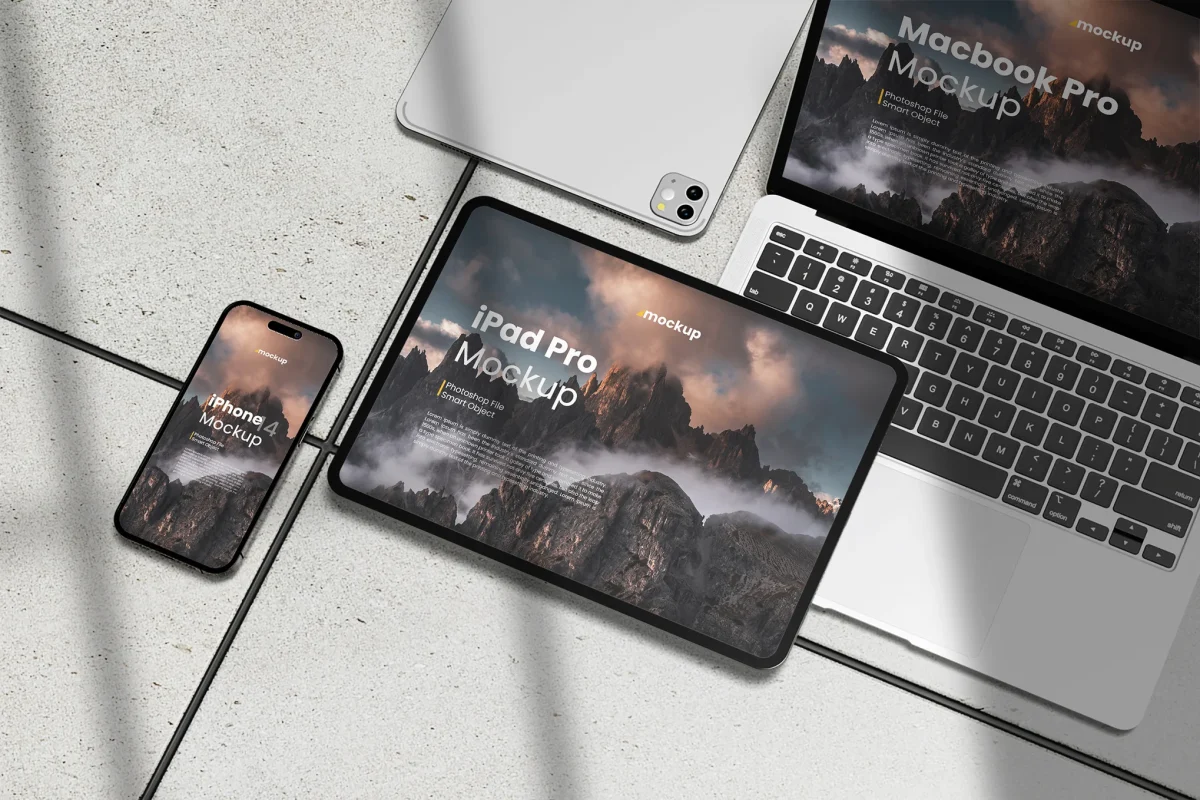
computer, cell phone and iPad where it shows a web design.

1. No clear value proposition
Visitors don’t understand in 5 seconds what you do or why they should choose you. 

2. Your design isn’t conversion-focused
There’s pretty design, and there’s functional design. The second one converts. The first just decorates. 

3. You don’t guide users to take action
Where’s the button that says “contact us,” “book a demo,” or “request a quote”? If it’s not clear and visible, there’s no action. 

4. Your site is slow or looks bad on mobile
Over 70% of users abandon a site that takes more than 3 seconds to load. And if it’s not mobile-optimized, you’ve already lost. 

5. Your message doesn’t connect with the client’s pain
Your site talks about you—but not about what your client needs to solve. Empathy sells. 


The Silent Enemy: A Website You Don’t Realize Is Failing 

Many business owners are so busy they don’t even realize their site is sabotaging them. Meanwhile: 

  • Their competitors pull ahead 
  • They keep spending on social media or ads without results 
  • They feel frustrated but don’t know why 

The Process to Turn Your Website Into a Client-Generating Machine 

  1.  Strategic Audit
    We analyze what’s not working: structure, content, design, SEO, and usability. 
  2.  Content Restructuring
    We transform your message to connect emotionally and overcome objections. 
  3.  Conversion-focused Design
    We design for action: clear buttons, visual hierarchy, simple navigation. 
  4.  SEO Optimization
    Rank on Google for the terms your clients actually search. We use technical and content SEO. 
  5. Technical Implementation and Ongoing Support
    We give you full control with zero hassle—and support you month to month for continuous improvement. 

website that doesn’t convert

Real Cases: How We Turned Invisible Sites Into Profitable Assets 

Short stories (can be anonymous if you don’t have public testimonials yet): 

  • Marketing agency with no web team → increased form submissions by 200% 
  • Boutique law firm → tripled their traffic in 60 days 
  • Real estate developer → started capturing leads directly through their site 

And if you’re still unsure about the importance of having a website that works for you 24/7, don’t miss this article: The New Role of the Website: Your Best 24/7 Digital Salesperson

What If I’m Not Tech-Savvy? How Do I Know This Will Work? 

You don’t need to know code or complex tools. We handle everything for you—you just see the results: 

  • More calls 
  • More forms submitted 
  • More clients who found you on Google 


What If I’ve Tried Before and Failed? 

If you’ve already hired another provider and it didn’t work—we get your frustration. That’s why our approach is based on: 

  • Strategy before design 
  • Measurable results 
  • Real, ongoing support 

So What Should You Do Next? 

🔥What could be wrong with a website that doesn’t convert?
Ready to turn your website into your best digital salesperson?

Schedule a free consultation with our team today and get a no-obligation diagnosis.
👉 Click here to book your free website review 

We share tips, trends, success stories, and recommendations to help your digital presence grow every day.

🔹 Facebook
🔹 Instagram
🔹 LinkedIn


    Join our Newsletter

    We'll send you newsletters with news, tips & tricks. No spams here.

      Contact Us

      We'll send you newsletters with news, tips & tricks. No spams here.