Website Structure That Wins: SEO Rankings and Conversions
Most websites leak visitors because their site architecture confuses both search engines and users. If your website structure isn’t clear, your rankings and conversions suffer. In this post, you’ll learn how to build a site architecture that supports SEO and turns visitors into customers, with practical tips like keyword mapping, internal linking strategy, and page speed optimization. Ready to turn your website into a growth engine? Learn more about creating a high-converting website structure.
Building a Winning Website Structure
Your website’s structure is more than just a blueprint. It’s your online battleground where SEO and user experience meet. Let’s explore how to create a site architecture that search engines love and users can’t resist.
Understanding Site Architecture Basics
The backbone of a successful website is its architecture. A well-organized structure ensures both search engines and users can navigate your site effortlessly. Start by designing a simple hierarchy. Your main categories should logically flow from the homepage, leading to subcategories and individual pages.
Consider using the hub and spoke model. Think of your homepage as the hub, with key pages branching out like spokes. This model not only aids navigation but also helps distribute link equity throughout your site. By focusing on clarity, you make it easier for visitors to find what they’re looking for, ultimately increasing conversions.
Implementing Effective Information Architecture
Information architecture is all about organizing content logically. Begin with content silos. Group related content together, creating pathways for users to follow. This organization enhances the user experience, allowing visitors to find relevant information quickly.
Use breadcrumbs to guide your visitors. These navigational aids show users their path, enhancing usability. Moreover, breadcrumbs benefit SEO by making your site’s hierarchy clear to search engines. Remember: the easier it is for a user to navigate, the more likely they are to stay.
Crafting a Strategic Internal Linking Strategy
Internal linking is the unsung hero of site architecture. It connects your content, providing context and improving navigation. Start by linking from high-authority pages to newer or lower-ranked pages. This practice distributes authority, enhancing visibility.
Focus on using keyword-rich anchor text naturally within your content. This not only helps users but also signals relevance to search engines. Aim for a balance: link relevant pages without overloading your content with links. Every link should serve a clear purpose.
Enhancing SEO with Technical Elements

Technical elements are the secret sauce that elevates your website’s SEO. By focusing on these details, you create a solid foundation that supports your content. Let’s dive into the specifics.
Optimizing URL Structure and Keyword Mapping
Your URL structure should be clean and descriptive. Use keywords naturally within URLs to give users and search engines a clear idea of the page’s content. A well-structured URL not only improves SEO but also enhances the user experience.
Keyword mapping is critical. Assign keywords to each page based on relevance and search intent. This not only informs your content creation but also ensures your site targets the right search queries. Remember, thoughtful organization leads to better rankings.
Leveraging Schema Markup and XML Sitemaps
Schema markup adds context to your content, helping search engines understand your site better. Use schema to highlight key information like reviews, events, or product details. This can enhance your search visibility with rich snippets.
An XML sitemap is your site’s roadmap for search engines. It lists all your pages, ensuring they’re crawled and indexed. Regularly update your sitemap and submit it to search engines. This practice keeps your site’s content fresh in search engine indexes.
Managing Crawl Depth and Canonical Tags
Crawl depth refers to the number of clicks needed to reach a page from the homepage. Keep important pages within a few clicks to ensure they’re indexed and ranked. Limiting crawl depth improves both SEO and user experience.
Canonical tags help prevent duplicate content by specifying the preferred version of a page. Use them to consolidate link signals and manage page authority. This practice ensures that your site maintains a strong, coherent SEO profile.
Driving Conversions Through Design
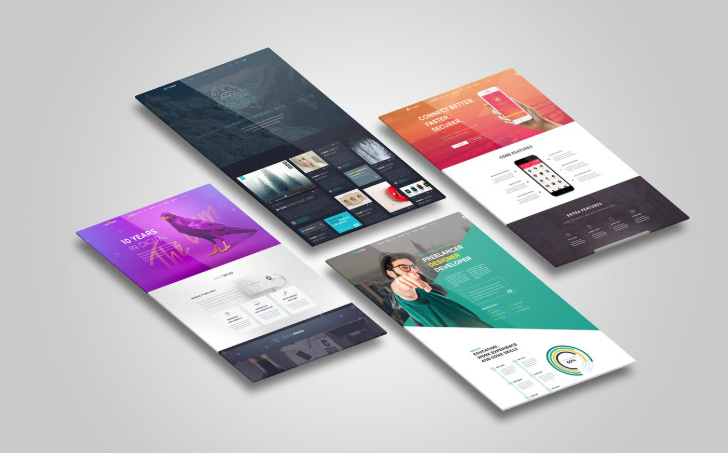
Design isn’t just about aesthetics. It’s about creating an environment where visitors take action. Let’s explore how design choices can drive conversions and improve your site’s performance.
Prioritizing Core Web Vitals and Page Speed
Core Web Vitals are essential metrics that measure user experience. Focus on page speed optimization to improve load times. A fast-loading site not only enhances user satisfaction but also ranks better in search results.
Use tools like Google PageSpeed Insights to identify areas for improvement. By optimizing images, leveraging browser caching, and minimizing JavaScript, you can significantly boost your site’s speed and user experience.
Implementing Mobile-First and Responsive Design
A mobile-first approach ensures your site performs well on all devices. Design your site with mobile users in mind, ensuring readability and navigation are seamless. Responsive web design is crucial for adapting to various screen sizes.
By focusing on mobile-friendly design, you cater to a broader audience. This approach not only enhances user experience but also improves your site’s rankings, as search engines prioritize mobile-friendly sites.
Focusing on Conversion Rate Optimization Techniques
Conversion Rate Optimization (CRO) is about turning visitors into customers. Start with landing page design. Ensure your calls to action (CTAs) are clear and compelling. Place them strategically, encouraging users to take action.
Use heatmaps and session recordings to understand user behavior. These insights help refine your design, ensuring that key elements attract attention. With a focus on CRO, you transform your site into a powerful lead generation tool.
Frequently Asked Questions
What is website structure, and why is it important?
Website structure is the organization of your site’s content. It’s crucial because it affects how search engines crawl your site and how users find information.
How can I improve my site architecture for SEO?
Prioritize a clear hierarchy, use internal linking, and implement schema markup. These elements help search engines understand your site and improve its ranking.
What are Core Web Vitals, and why do they matter?
Core Web Vitals measure user experience aspects like loading speed and interactivity. They matter because they impact both user satisfaction and search engine rankings.
Why is mobile-first design crucial for my website?
A mobile-first design ensures your site is accessible and functional on all devices. It improves user experience and boosts rankings, as search engines favor mobile-friendly sites.
How do internal links benefit my website?
Internal links connect your content, enhancing navigation and distributing page authority. They help search engines index your site, improving SEO performance.
Let’s take care of your website today